
What Is AI Automation? A Practical Guide for Businesses
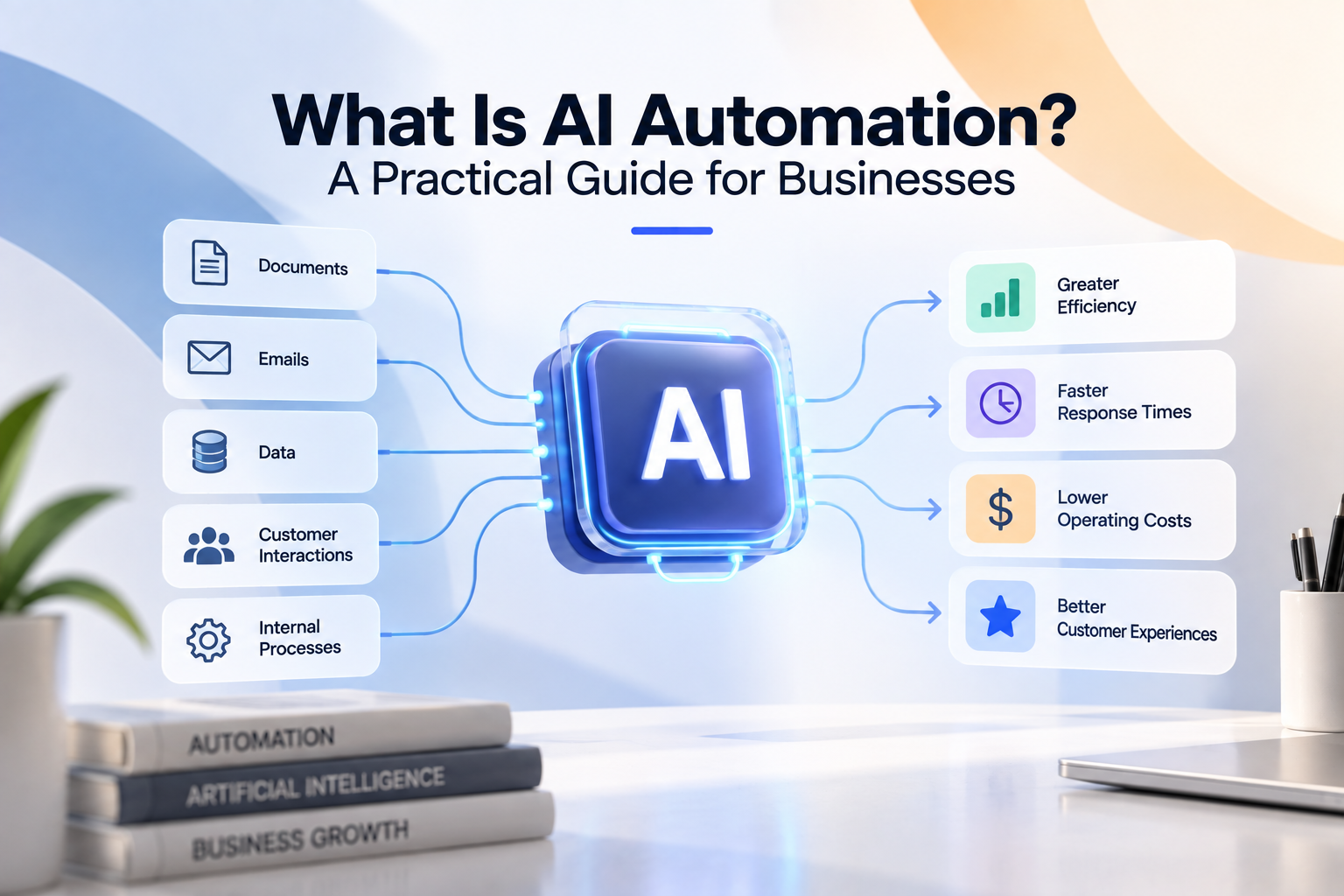
What Is AI Automation? A Practical Guide for Businesses
Every business contains work that employees repeat.
Traditional business automation has been able to handle predictable tasks like these for years, but only when the rules are relatively clear.
AI changes what can be automated.
Instead of software only following instructions such as:
IF this happens → do that
AI can help software interpret less structured information such as:
emails;
PDFs;
customer messages;
contracts;
images;
notes; and
other business documents.
That means businesses can automate processes that previously required an employee to read, understand, classify or extract information before the rest of the workflow could continue.
AI automation combines artificial intelligence with business automation so software can interpret information, apply business rules, interact with existing systems and automatically complete more of a business process.
But that doesn't mean giving AI complete control of your company.
The most reliable AI automation usually combines:
AI for interpretation
software for predictable rules
integrations for business systems
people for judgement and important exceptions.
This guide explains what AI automation is, how it works, practical business examples, what you should and shouldn't automate, how to calculate whether it's worth the investment and how to identify AI automation opportunities inside your own company.
What Is AI Automation?
AI automation is the use of artificial intelligence within an automated workflow to perform tasks that require some level of interpretation, classification, extraction, summarisation or generation.
Traditional automation is very good at instructions such as:
IF invoice value > £5,000 → request manager approval.
The input is structured.
The condition is clear.
The action is predictable.
But imagine the process starts with:
Read this supplier invoice and determine the supplier, invoice number, purchase order, line items, quantities and total.
Now the software has to interpret a document.
That's where AI can become useful.
An AI automation might look like:
Invoice received
↓
AI extracts information
↓
Supplier validated
↓
Duplicate checked
↓
Purchase order retrieved
↓
Amounts compared
↓
Approval rules applied
↓
Accounting updated
↓
Exception sent to finance if necessary
AI handles one part of the process.
The surrounding software makes the automation useful.
AI vs Automation: What's the Difference?
AI and automation aren't the same thing.
Automation
Automation executes a process.
For example:
Form submitted → CRM record created
No AI is required.
Artificial Intelligence
AI can interpret or generate information.
For example:
Read this email and determine whether it's a sales enquiry, support request or invoice question.
AI Automation
AI automation combines the two.
For example:
Email received
↓
AI identifies request
↓
Customer retrieved from CRM
↓
Business rules applied
↓
Task created
↓
Correct employee assigned
↓
CRM updated
The AI understands the information.
The automation does something useful with that understanding.
How Does AI Automation Work?
A practical business AI automation can often be represented as:
Trigger → Data → AI Processing → Validation → Business Rules → Action → Human Review → Outcome
Let's look at each stage.
1. Trigger
Something starts the workflow.
Examples include:
email received;
document uploaded;
customer message received;
order submitted;
CRM record changed;
meeting completed;
support ticket created; or
scheduled time reached.
For example:
Customer email received
starts an email-processing workflow.
2. Data
The automation gathers the information required.
That could include:
email content;
attached documents;
CRM records;
order history;
product data;
account information; or
internal business data.
3. AI Processing
AI performs the interpretation task.
For example, it may:
Read
Extract
Classify
Summarise
Compare
or:
Generate
An AI system could determine:
Intent: Order status request
Order number: 18452
Customer: ABC Ltd
Urgency: Normal
That output can then be passed into the rest of the workflow.
4. Validation
AI shouldn't automatically be trusted simply because its output looks convincing.
Important information should be checked where possible.
For example:
AI extracts customer ID
↓
CRM confirms customer exists
Or:
AI extracts product code
↓
ERP validates product code
Or:
AI extracts invoice total
↓
Accounting rules verify required values
Validation turns AI output into something safer for operational use.
5. Business Rules
Traditional software determines what should happen.
For example:
IF customer exists → continue
IF customer not found → employee review
IF invoice < £2,000 and matches PO → continue
IF invoice differs from PO → finance review
The AI doesn't need to make every decision.
Predictable rules should usually remain predictable rules.
6. Action
The automation performs the required business action.
For example:
update CRM;
create order;
create support ticket;
send notification;
create task;
update accounting;
generate document;
request approval; or
trigger another workflow.
7. Human Review
Some situations require people.
For example:
AI confidence insufficient
Customer request unusual
Contract terms ambiguous
Pricing conflict detected
High-value decision required
The automation should route those situations to the appropriate employee.
8. Outcome
The business process is completed or moved to the correct next stage.
That is the difference between simply “using AI” and actually implementing AI business automation.
What Can AI Actually Do Inside a Business?
AI is particularly useful for six types of work.
Read
AI can process information contained in:
emails;
PDFs;
documents;
messages; and
notes.
Extract
It can identify information such as:
customer names;
invoice numbers;
order numbers;
products;
dates;
quantities;
contract clauses; and
requested actions.
Classify
AI can categorise information.
For example:
Sales enquiry
Support request
Complaint
Invoice question
Order change
Summarise
AI can turn longer information into a shorter operational summary.
For example:
Customer issue
Previous actions
Outstanding problem
Recommended next step
Compare
AI can help identify differences between documents or information sources.
Generate
AI can draft:
responses;
summaries;
reports;
documents;
internal notes; and
other text.
The important question is what happens after the AI performs that task.
That's where custom automation becomes valuable.
12 Practical AI Automation Examples for Businesses
AI automation becomes easier to understand when you look at complete business workflows.
1. AI Email Processing
Many companies have shared inboxes that employees manually organise.
For example:
sales@
support@
orders@
accounts@
Employees may spend hours reading messages and deciding what to do with them.
AI automation could become:
Email received
↓
AI identifies intent
↓
Customer matched
↓
Relevant business data retrieved
↓
Request categorised
↓
Task created
↓
Correct employee assigned
↓
CRM updated
Routine administration happens automatically.
Employees handle the requests that need them.
2. AI Document Processing
Businesses receive documents such as:
purchase orders;
invoices;
forms;
contracts;
applications; and
reports.
Instead of employees manually extracting information:
Document received
↓
AI extracts required fields
↓
Information validated
↓
Business rules applied
↓
System updated
↓
Exception routed to employee
This can remove significant data-entry work.
3. AI Order Processing
Suppose customers send orders by email or PDF.
Employees currently read each order and manually enter it into the ERP.
A custom AI automation could:
Order received
↓
AI extracts customer, products and quantities
↓
Customer validated
↓
Products validated
↓
Pricing checked
↓
Inventory checked
↓
ERP order created
↓
Customer confirmation triggered
If something is wrong:
Exception → operations employee
The employee focuses on unusual orders rather than processing every standard one.
4. AI Invoice Processing
AI can help extract information from invoices.
But the larger value comes from automating the surrounding finance workflow.
Invoice received
↓
AI extracts information
↓
Supplier validated
↓
Duplicate invoice checked
↓
Purchase order retrieved
↓
Line items and totals compared
↓
Approval rules applied
↓
Accounting system updated
↓
Invoice stored
If everything matches, the invoice can continue through the normal process.
If something doesn't match:
Exception → finance review
Instead of finance employees manually checking every invoice, they can spend more time resolving the transactions that actually require attention.
5. AI Customer Support Triage
Support teams can spend a surprising amount of time simply organising incoming work.
An AI automation could:
Customer message received
↓
AI determines issue
↓
Customer identified
↓
Relevant account information retrieved
↓
Priority determined
↓
Ticket created
↓
Correct team assigned
↓
Conversation summarised
The support employee starts with an organised case instead of an unstructured message.
6. AI Lead Qualification
AI can help interpret sales enquiries.
For example:
“We're looking for a system to automate approximately 4,000 supplier documents every month and connect the results to our ERP.”
AI could extract:
Requirement: Document automation
Volume: 4,000/month
Integration: ERP
Intent: Commercial enquiry
The workflow could then:
Create or update CRM lead
↓
Apply qualification rules
↓
Assign salesperson
↓
Create follow-up task
↓
Attach enquiry summary
AI performs the interpretation.
Your business rules determine what happens next.
7. AI CRM Administration
Salespeople frequently spend time maintaining CRM records after calls and meetings.
A workflow could:
Meeting completed
↓
Transcript processed
↓
AI creates summary
↓
Actions identified
↓
CRM notes prepared
↓
Follow-up tasks created
↓
Employee verifies important details
This reduces administration without removing the salesperson from important commercial decisions.
8. AI Customer Onboarding
Customer onboarding often involves collecting and checking information from several sources.
AI automation could:
Customer submits documents
↓
AI extracts required information
↓
Information validated
↓
CRM updated
↓
Accounting customer created
↓
Project created
↓
Missing information identified
↓
Customer automatically asked for missing items
↓
Employee handles exceptions
This can make onboarding faster while maintaining human oversight where necessary.
9. AI Contract Processing
Businesses may need to extract specific information from contracts.
For example:
parties;
dates;
renewal periods;
termination clauses;
payment terms;
obligations; and
other defined information.
A workflow could:
Contract uploaded
↓
AI extracts required information
↓
Important fields validated
↓
Contract record created
↓
Renewal dates stored
↓
Relevant employees notified
↓
Unusual terms sent for review
AI can assist with processing.
Appropriate people should remain responsible for legal judgement and important decisions.
10. AI Reporting
Management reports often require information to be collected from several systems.
A custom workflow could:
Reporting period ends
↓
Data retrieved from CRM
↓
Financial data retrieved
↓
Operational data retrieved
↓
Metrics calculated using defined rules
↓
AI drafts commentary
↓
Report generated
↓
Manager reviews
The AI doesn't need to invent or calculate the underlying numbers.
Verified business data can drive the metrics while AI helps turn those metrics into readable commentary.
11. AI Knowledge Retrieval
Employees frequently need answers buried inside:
internal documentation;
policies;
product information;
procedures;
project files; and
knowledge bases.
A custom AI system can help employees ask questions using natural language and retrieve information from approved company sources.
The workflow might also incorporate context.
For example:
Employee asks customer-specific question
↓
Customer retrieved from CRM
↓
Relevant approved documentation searched
↓
Answer generated
↓
Sources or records presented
This can reduce time spent searching across multiple systems.
12. AI Exception Management
One of the most interesting uses of AI is helping employees investigate unusual situations.
Suppose an automated order workflow detects:
Pricing mismatch
Instead of simply displaying:
ERROR
the system could gather:
submitted price;
expected price;
customer contract;
recent orders;
account information; and
relevant correspondence.
AI could summarise the discrepancy for an employee.
The employee still makes the important decision.
But the investigation becomes much faster.
AI Automation vs AI Agents
AI automation and AI agents are related, but they aren't identical.
An AI workflow usually follows a designed process.
For example:
Invoice received → extract → validate → approve → accounting
An AI agent may have more freedom to decide which actions or tools to use to achieve an objective.
For example:
Investigate why this order cannot be processed and gather the information operations needs.
The exact investigation path may vary.
Agents can be useful for dynamic tasks.
But many business processes don't require that level of autonomy.
For high-volume operational work, a controlled workflow can often provide greater predictability.
A useful architecture can be:
Workflow controls the process
↓
AI interprets information
↓
Agent handles a bounded flexible task where useful
↓
Human handles important judgement
The goal isn't maximum AI autonomy.
It's the right amount of automation for the process.
AI Automation vs Traditional Automation
The easiest way to decide whether AI is required is to ask:
Does the software need to interpret something?
If not, traditional automation may be enough.
For example:
Form submitted → create CRM record
doesn't need AI.
But:
Read an email and determine which department should handle it
may benefit from AI.
A useful comparison is:
Requirement
Traditional Automation
AI Automation
Fixed business rules
Strong
Can use them too
Structured data
Strong
Strong
Unstructured emails
Limited
Stronger fit
Document interpretation
Limited
Stronger fit
Classification
Rule-based
Contextual
Summarisation
Limited
Stronger fit
Predictability
High
Requires controls
Human-like interpretation
Limited
Useful
The best business systems frequently combine both.
Do You Actually Need AI Automation?
AI automation is worth investigating when employees repeatedly perform work such as:
reading
interpreting
classifying
extracting
summarising
drafting
before they can continue with a predictable business process.
For example:
Employee reads email
↓
Employee understands request
↓
Employee looks up customer
↓
Employee updates system
↓
Employee assigns task
Only the first two steps may require AI.
The remaining steps can use conventional software.
This is often a strong automation opportunity.
Signs Your Business May Have an AI Automation Opportunity
Look for employees saying:
“I have to read every one.”
“We manually check the document.”
“Someone has to decide what type of request it is.”
“I copy the information into the system.”
“We receive hundreds of these emails.”
“Every order has to be entered manually.”
“I spend every morning organising the inbox.”
“We have to summarise these before sending them internally.”
These are valuable signals.
They suggest that interpretation is creating a bottleneck before a predictable workflow can continue.
What Should You Not Automate With AI?
Not everything that can technically use AI should use AI.
Be cautious when the process involves:
high-consequence decisions;
unclear accountability;
highly subjective judgement;
sensitive customer relationships;
negotiations;
unusual strategic decisions;
unreliable source information; or
actions that cannot be adequately validated.
Sometimes AI should assist rather than decide.
For example:
AI summarises complaint
↓
Account manager handles customer
Or:
AI extracts contract information
↓
Qualified person reviews important terms
Or:
AI investigates order exception
↓
Operations manager approves action
Automation should reduce unnecessary work without removing appropriate human control.
The Best AI Automation Usually Doesn't Look Like “AI”
Employees shouldn't necessarily have to open a chatbot and ask it to perform every task.
The AI can operate inside the workflow.
For example:
Order email arrives
The employee doesn't need to:
open an AI tool;
upload the document;
ask it to extract information;
copy the result;
open the ERP;
enter the data;
send confirmation.
Instead:
Email arrives
↓
AI automatically processes document
↓
Software validates data
↓
ERP automatically updated
↓
Employee only receives exceptions
That's the difference between using AI as a productivity tool and building AI into the business process.
Why Custom AI Automation Can Be More Valuable
Every business has different:
systems;
processes;
terminology;
customer requirements;
pricing rules;
approval structures;
documents;
exceptions; and
operational requirements.
A generic AI tool may help an employee complete one task faster.
A custom AI automation can connect the AI directly to the process.
For example:
Customer email
↓
AI interpretation
↓
Custom business rules
↓
CRM
↓
ERP
↓
Accounting
↓
Employee exception dashboard
The automation is designed around how the company actually operates.
Custom AI Automation Can Connect Your Existing Software
You don't necessarily need to replace your existing systems.
A custom automation can sit between them.
For example:
↓
CUSTOM AI AUTOMATION LAYER
↓
CRM
ERP
Accounting
Document storage
Internal databases
Customer systems
The AI layer interprets information where necessary.
Custom software coordinates the workflow.
Existing business systems remain the sources of operational data.
Why Validation Matters
One of the biggest mistakes in AI automation is treating AI output as guaranteed truth.
A more reliable design is:
AI proposes
↓
Software validates
↓
Business rules control
↓
Human reviews exceptions
For example:
AI extracts invoice supplier: ABC Ltd
↓
Supplier database confirms ABC Ltd exists
↓
AI extracts PO: 47291
↓
ERP confirms PO exists
↓
Amounts compared
↓
Workflow continues
The AI doesn't need unrestricted authority.
It needs a clearly defined job inside a controlled system.
Human-in-the-Loop AI Automation
A human-in-the-loop workflow deliberately sends certain situations to people.
For example:
AI confidence high + validation passes → automatic
AI confidence low → employee review
Business-rule exception → employee review
High-value transaction → manager approval
This approach allows a business to automate high-volume normal work without pretending every situation is predictable.
How Much Time Can AI Automation Save?
Start with the current workload.
Suppose your business receives:
2,500 customer emails per month.
Employees spend an average of:
4 minutes
reading, categorising, retrieving information and routing each one.
That's:
2,500 × 4 = 10,000 minutes
or approximately:
167 hours per month.
Suppose AI automation can handle the routine administration for:
75%
of those messages.
Remaining manual volume:
625 messages.
At four minutes each:
approximately:
42 hours per month.
Potential capacity released:
approximately:
125 hours per month
or:
1,500 hours per year.
That doesn't automatically mean 1,500 hours of payroll disappears.
The value may instead come from:
supporting more customers;
reducing response times;
avoiding additional hiring;
reducing overtime; or
moving employees to higher-value work.
But now you have a measurable automation opportunity.
Calculate the Potential Financial Value
Suppose the released capacity is:
1,500 hours per year
and your fully loaded employee cost is:
£30 per hour.
Potential annual capacity value:
1,500 × £30 = £45,000
Now add other possible benefits:
reduced errors;
faster processing;
avoided hiring;
additional transaction capacity;
improved customer response; and
reduced rework.
Compare that with:
development cost;
AI usage;
infrastructure;
software;
maintenance; and
employee review.
This gives you a more realistic basis for deciding whether AI automation is worth building.
Don't Assume 100% Automation
A common mistake is calculating ROI as though AI will eliminate every manual transaction.
Real processes have exceptions.
Suppose:
80% of invoices are standard
while:
20% require finance review.
That can still be an excellent automation opportunity.
The goal doesn't need to be:
100% autonomous
It may be:
Automatically process routine work and give employees better tools for everything else.
That is often more reliable and economically sensible.
How Much Does Custom AI Automation Cost?
There isn't one meaningful universal price.
Cost depends on factors such as:
workflow complexity;
number of systems;
integration quality;
transaction volume;
AI tasks;
document types;
business rules;
validation requirements;
exception handling;
employee interfaces;
security;
monitoring; and
maintenance.
A simple workflow that classifies enquiries and updates CRM is very different from a high-volume order-processing system involving AI, ERP, pricing, inventory, approvals and custom exception handling.
The correct starting point is the process, not a generic price list.
How to Identify Your Best AI Automation Opportunity
Start by looking for repetitive interpretation. Ask your teams:
What do you have to read repeatedly?
What documents do you process manually?
Which inboxes require constant attention?
What information do you repeatedly extract?
Which requests do you classify?
What do you copy into other systems?
Which reports do you repeatedly summarise?
Which tasks increase directly with customer or transaction volume?
Then create an opportunity list.
For each process, record:
Process
Monthly volume
Manual time
Systems involved
AI task
Business rules
Exceptions
Business impact
This quickly turns “we should use AI” into specific automation opportunities.
Prioritise the Right AI Automation Project
Evaluate each opportunity using:
Volume
How frequently does it happen?
Manual Effort
How much employee time does it consume?
Interpretation
Does it genuinely require AI?
Predictability
Are the actions after interpretation relatively clear?
Verifiability
Can important AI output be checked?
Business Value
What improves if the process is automated?
Risk
What happens if something is wrong?
Technical Feasibility
Can the required systems be integrated?
The best first project often has:
high volume + meaningful manual effort + bounded AI task + predictable workflow + verifiable output + manageable exceptions.
How a Custom AI Automation Project Works:
You don't need to arrive with a technical specification.
A good custom software development process starts with understanding the business.
Step 1: Discover the Process
Map what employees currently do.
Step 2: Measure the Workload
Calculate transaction volume and manual time.
Step 3: Simplify
Remove unnecessary steps before automating them.
Step 4: Identify the AI Task
Define exactly what requires interpretation.
For example:
Classify incoming customer email into one of eight categories.
That's much more useful than:
“Use AI on customer service.”
Step 5: Identify Traditional Automation
Determine which actions can use deterministic software.
Step 6: Map Integrations
Identify:
CRM;
ERP;
accounting;
databases;
email;
documents;
support systems; and
other applications.
Step 7: Define Validation
Determine how important AI output will be checked.
Step 8: Design Exceptions
Define what happens when automation cannot continue.
Step 9: Design Human Review
Determine when employees need to intervene and what information they need.
Step 10: Build and Integrate
Create the automation around the existing business systems.
Step 11: Test With Real Data
Use representative business examples, including difficult cases.
Step 12: Pilot
Introduce the workflow gradually where appropriate.
Step 13: Measure
Compare performance with the original baseline.
Step 14: Improve
Use production exceptions to improve the workflow.
What Should You Measure After Launch?
Useful AI automation metrics include:
Transaction volume
Automation rate
Human review rate
Exception rate
AI correction rate
Processing time
Manual hours
Technical failure rate
AI cost per transaction
total cost per transaction.
The objective isn't to prove that AI is impressive.
It's to prove that the business process improved.
What Does Good AI Automation Look Like?
Good AI automation isn't simply:
“We connected ChatGPT to something.”
It should have a clearly defined operational purpose.
A strong system usually has:
A Specific AI Task
AI has a bounded job.
Reliable Integrations
Business systems can exchange the required information.
Validation
Important AI output is checked.
Deterministic Business Rules
Predictable decisions remain predictable.
Human Review
Employees handle appropriate exceptions.
Failure Handling
Technical problems don't silently lose transactions.
Monitoring
The business can see what the automation is doing.
Measurable Results
The company knows whether time, cost, speed or capacity actually improved.
You Probably Have More AI Automation Opportunities Than You Think
Many companies assume AI automation means building a chatbot.
That's only one possibility.
The larger opportunities may be hidden inside everyday operational work.
Look at where employees spend time:
reading
copying
checking
classifying
summarising
entering
routing
repeating.
Then ask:
What happens immediately after that work?
If an employee reads a document and then enters information into ERP, there may be an automation opportunity.
If an employee reads an email and then creates a CRM task, there may be an automation opportunity.
If an employee reviews an order and then follows predictable rules, there may be an automation opportunity.
The most valuable AI project may not be a new AI product.
It may simply be removing hundreds of hours of repetitive work from an existing business process.
The Best Place to Start Isn't Buying AI Software
Start with the business problem.
Not the model.
Not the chatbot.
Not the automation platform.
Not the latest AI feature.
Ask:
Where are we spending too much employee time on repetitive work?
Then determine:
What part requires interpretation?
What part follows rules?
Which systems are involved?
What can be validated?
What needs a person?
What happens when something goes wrong?
From there, you can design the right combination of AI, custom software, business rules, system integrations and human review.
Find Out What AI Could Automate in Your Business
You don't need to know exactly what to build before speaking with a automation software developer.
In fact, that should be part of the discovery process.
If your business has employees spending significant time:
processing emails;
reading documents;
entering orders;
updating CRM;
handling invoices;
routing customer requests;
preparing reports;
copying information between systems; or
performing other repetitive administrative work,
there may be an opportunity to automate much more of that process.
A free AI automation consultation can help identify where those opportunities exist.
During the consultation, we look at:
Your current manual workflows
The tasks consuming the most employee time
The systems your employees currently use
Where AI could interpret information
Where traditional automation is more appropriate
Which systems need to be integrated
What should remain human
How exceptions should be handled
Whether there is enough potential value to justify building automation.
Turn AI From an Experiment Into Business Infrastructure
Instead of forcing your business into a generic AI workflow, the automation can be built around how your company actually operates.
We'll help you identify the strongest opportunities, understand what would need to be built and determine whether the potential business value justifies moving forward.
>Book your free AI automation consultation.